Out of the 120+ tags in html, a lot are used in every website in 2026 such as <div>, <li>, <img> and many more. Despite that, there are multiple that are rarely used or underutilized, said tags can actually be useful when used in the best manner. Some of these include <wbr>, <cite> and more that I will be expanding more in this blog.
The first tag that is not used too often is <datalist>. The datalist tag is used in lists to give users a list of suggestions while still allowing them to type custom values. The place where this is mostly used is when users are looking for a certain country on a list, without the datalist tag they will have to constantly scroll and scroll until they find their desired country.

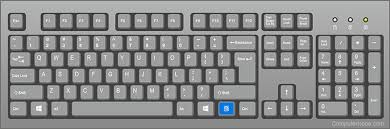
The second tag is <kbd> which is a good tag, just not as useful. This tag is used in a way to mark text to signify if it’s a keyboard input. For example,<p>Press <kbd>ctrl </kbd>to reload this page.</p> would output: Press ctrl to reload this page. This can actually be styled creatively with CSS in a way that the kbd text shows as an actual keyboard key.
The third tag that can be very useful and ethically sound in certain cases is <cite> instead of <p>. <cite> marks the title of what you put it to, which displays in italics. While you could use the <i> tag to put around what you want as italics, <cite> makes your code more organized and readable if you put it in areas that you need to cite. The tag can also help with your SEO because it knows how you sourced your information and also besides that it gives you a little credibility. Note: the <cite> tag marks that it’s not your work and is someone else’s.
Lastly, the one that is very good for responsive code is <wbr>. This is a line break suggestion if the page needs to break the line in the web page display. As an example:<p>ThisBlogIsUsefulForKnowingUnknownWebTagsThatAreUnderUtilized<wbr>InTheWebDevelopmentWorkSpace</p>
In conclusion, all of these tags are useful but not used too often in the perspective of things. If beginner developers were to know of them as they started learning HTML it could give a small boost in their learning journey.